
Best Ultrabook Singapore (2026): 7 Lightweight Laptops for Work, Study & Travel
Buying a new laptop isn’t as easy as it used to be. Every brand promises better speed, longer battery life, and a slimmer design, making it difficult to separate genuine value from clever marketing. If you’re searching for the Best Ultrabook Singapore, chances are you want a lightweight device that can keep up with work, study, travel, or everyday tasks without feeling bulky in your bag.
The good news is that there are excellent options for almost every budget. Some models focus on portability, others offer impressive battery life, while a few strike a great balance between performance and price. This roundup compares seven standout ultrabooks available in Singapore, making it easier to find a laptop that fits your daily routine instead of paying extra for features you’ll rarely use.
Looking for a lightweight laptop in Singapore? The ASUS Zenbook S16 is our top overall pick thanks to its excellent balance of performance, portability, and all-day battery life. The Acer Swift offers the best value for budget-conscious buyers, while the Dell XPS 13 stands out as the premium choice for professionals. Each recommendation is selected to suit different budgets and everyday needs in Singapore.
Ultrabook Comparison at a Glance
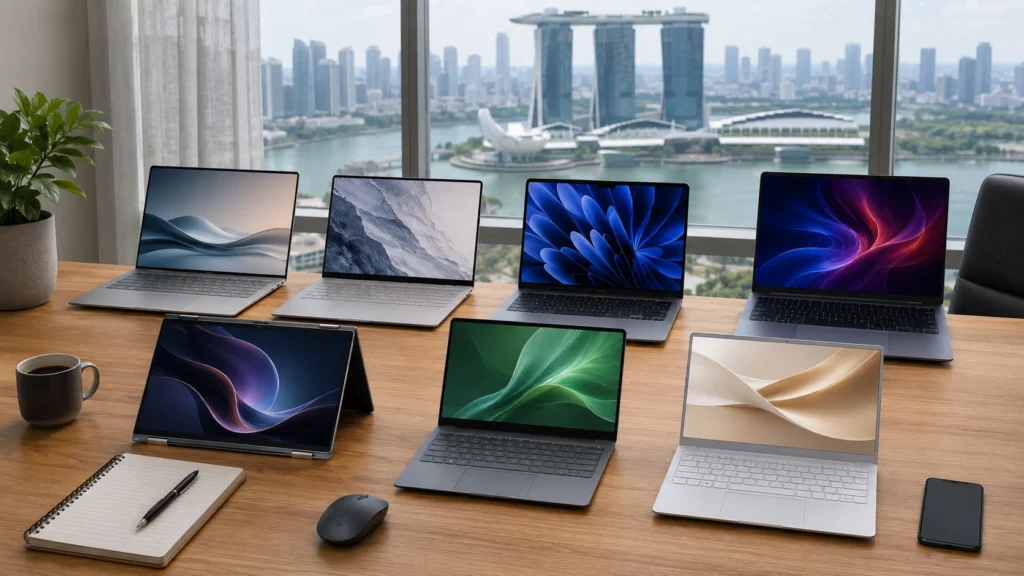
| Laptop | Best For | Weight | Battery Life | Starting Price (SGD) |
| ASUS Zenbook S16 | Best Overall & Productivity | 1.50 kg | Up to 18 Hours | From S$2,199 |
| Apple MacBook Air M4 | Students & Everyday Use | 1.24 kg | Up to 18 Hours | From S$1,499 |
| Dell XPS 13 | Business Professionals | 1.17 kg | Up to 16 Hours | From S$2,199 |
| Lenovo Yoga Slim 9i | Office Work & Premium Design | 1.23 kg | Up to 15 Hours | From S$1,999 |
| HP Spectre x360 14 | Creative Users & 2-in-1 Flexibility | 1.44 kg | Up to 13 Hours | From S$2,099 |
| Acer Swift Go 14 AI | Best Budget Value | 1.32 kg | Up to 14 Hours | From S$1,399 |
| LG Gram 14 | Frequent Travellers | 0.99 kg | Up to 20 Hours | From S$1,899 |
Buying Tip: These ultrabooks excel in different areas. Some focus on long battery life, while others offer a lightweight design, premium build quality, or stronger performance for office tasks. If you need a portable laptop for daily commuting, university, or business use, every model above delivers excellent value for buyers in Singapore.
What Is the Best Ultrabook in Singapore?
The Best Ultrabook Singapore for most people in 2026 is the ASUS Zenbook S16. It combines strong performance, a lightweight laptop design, impressive battery life, and a vibrant OLED display in one package. If you want a premium laptop for work, study, or travel, this Windows ultrabook delivers excellent value without compromising portability.
7 Best Ultrabooks in Singapore (2026)
ASUS Zenbook S16 – Best Overall Ultrabook
Best for: Professionals, students, remote workers, and anyone looking for a premium everyday laptop.
The ASUS Zenbook S16 earns the top spot because it delivers an excellent mix of performance, portability, and battery life. Powered by an Intel Core Ultra processor with a built-in AI processor (NPU), it handles multitasking smoothly, whether you’re editing documents, joining Microsoft Teams meetings, or managing dozens of browser tabs. Despite its large display, the lightweight design makes it comfortable to carry between the office, campus, or meetings around Singapore.
The vivid OLED display is another reason it stands out. Colours look sharp, text appears crisp, and long working sessions feel more comfortable on the eyes. Combined with LPDDR5X RAM, fast SSD storage, Thunderbolt 4, Wi-Fi 7, and Windows 11, it feels like a complete productivity package rather than just another laptop. If you’re looking for an AI PC that balances performance with portability, this model is difficult to beat.
Why We Recommend It
It performs well in almost every category without obvious compromises. From spreadsheets and presentations to photo editing and video calls, the Zenbook S16 remains fast, quiet, and dependable. Its premium build and long battery life also make it a smart choice for anyone who spends the day moving between home, the office, university, or cafés.
Key Features
- Intel Core Ultra processor
- OLED display
- LPDDR5X RAM
- Fast SSD storage
- Thunderbolt 4 connectivity
- Wi-Fi 7 support
- Windows 11
- AI processor (NPU)
Pros
- Excellent balance of performance and portability
- Bright, colour-accurate OLED display
- Strong all-day battery life
- Premium aluminium chassis
- Comfortable keyboard and large touchpad
Cons
- Premium pricing compared to mid-range models
- Limited upgrade options after purchase
Approx. Singapore Price: From S$2,199

Dell XPS 13 – Best for Professionals
Best for: Business professionals, executives, hybrid workers, and frequent travellers.
The Dell XPS 13 has built a strong reputation among professionals, and the latest version continues that tradition. Its slim profile, durable premium build, and compact footprint make it an excellent companion for business meetings, airport travel, and daily commuting. If your workload includes Microsoft Office, video conferences, research, and multitasking, this laptop delivers consistently smooth performance without adding unnecessary weight to your bag.
Available with Intel Core Ultra or Snapdragon X Elite configurations depending on the model, the XPS 13 also supports the latest Copilot+ PC features for AI-assisted productivity. The high-resolution display, responsive keyboard, and long battery life create a polished user experience, while LPDDR5X RAM, Thunderbolt 4, fast SSD storage, and Windows 11 help keep demanding workloads running efficiently. For professionals who value portable productivity, it’s one of the strongest choices available.
Why We Recommend It
The XPS 13 combines elegant design with dependable business performance. It feels compact without sacrificing usability, making it ideal for people who spend as much time travelling as they do working. Its premium finish and reliable battery life also justify the higher price for users who need a laptop every single day.
Key Features
- Intel Core Ultra or Snapdragon X Elite processor
- Copilot+ PC support (selected models)
- LPDDR5X RAM
- High-resolution display
- Thunderbolt 4 ports
- Windows 11
- Premium aluminium design
- Fast SSD storage
Pros
- Compact and travel-friendly design
- Excellent keyboard and touchpad
- Strong performance for business tasks
- Premium construction with modern styling
- Reliable battery life for a full workday
Cons
- Higher price than many competitors
- Limited port selection may require adapters
Approx. Singapore Price: From S$2,199
Apple MacBook Air M4 – Best Battery Life
Best for: Students, everyday users, content creators, and professionals who want exceptional battery life.
The MacBook Air M4 continues to be one of the most dependable ultra-portable laptops available. While it isn’t a Windows ultrabook, many buyers comparing premium lightweight laptops in Singapore also consider Apple’s latest model because of its impressive efficiency and long-lasting battery. If your day includes lectures, office work, web browsing, video meetings, and creative tasks, the MacBook Air M4 easily keeps pace without feeling warm or noisy.
Apple’s latest M4 chip delivers fast performance while using remarkably little power. The slim aluminium body is easy to carry, making it ideal for people who travel frequently or move between campus, home, and the office. The Liquid Retina display produces sharp visuals, and the comfortable keyboard makes long typing sessions less tiring. For users already invested in Apple’s ecosystem, it remains one of the easiest laptops to recommend.
Why We Recommend It
Few laptops match the MacBook Air M4 when it comes to balancing performance, portability, and battery life. It can comfortably last through a full working day on a single charge, making it an excellent choice for anyone who rarely wants to carry a charger.
Key Features
- Apple M4 chip
- Liquid Retina display
- Up to 18 hours of battery life
- Fast SSD storage
- Wi-Fi 6E
- MagSafe charging
- Touch ID
- Premium aluminium chassis
Pros
- Outstanding battery life
- Silent, fanless design
- Lightweight and easy to carry
- Excellent display quality
- Fast everyday performance
Cons
- Limited upgrade options
- Fewer ports than some Windows competitors
Approx. Singapore Price: From S$1,499
Lenovo Yoga Slim 9i – Best Business Laptop
Best for: Executives, business professionals, hybrid workers, and users who value premium design.
The Lenovo Yoga Slim 9i is built for professionals who spend long hours working on presentations, spreadsheets, video calls, and productivity apps. Powered by an Intel Core Ultra processor with an integrated AI processor (NPU), it handles demanding workloads smoothly while supporting modern AI features in Windows 11. The slim profile and lightweight design also make it easy to carry between meetings, shared workspaces, or business trips.
Its vibrant OLED display delivers excellent colour accuracy, while LPDDR5X RAM, fast SSD storage, Thunderbolt 4, and Wi-Fi 7 keep everything running quickly and reliably. The polished premium build, comfortable keyboard, and responsive touchpad create a refined experience that feels well suited to professionals who use their laptop for hours every day. If you’re looking for a dependable business notebook with premium features, the Yoga Slim 9i deserves serious consideration.
Why We Recommend It
The Yoga Slim 9i blends business-class performance with portability and premium craftsmanship. It offers enough power for demanding office work while remaining slim enough for daily commuting, making it an excellent companion for professionals across Singapore.
Key Features
- Intel Core Ultra processor
- AI processor (NPU)
- OLED display
- LPDDR5X RAM
- Thunderbolt 4
- Wi-Fi 7
- Windows 11
- Premium aluminium design
Pros
- Premium build quality
- Bright and sharp OLED display
- Fast performance for business workloads
- Lightweight and travel-friendly
- Excellent keyboard for extended typing
Cons
- Premium price tag
- Battery life is good but shorter than the MacBook Air M4
Approx. Singapore Price: From S$1,999
HP Spectre x360 – Best 2-in-1 Ultrabook
Best for: Creative professionals, students, and users who want the flexibility of a convertible laptop.
The HP Spectre x360 combines the performance of a premium notebook with the convenience of a convertible touchscreen laptop. Thanks to its 360-degree hinge, you can switch between laptop, tablet, tent, and presentation modes in seconds. That flexibility makes it a great option for note-taking, sketching, presentations, or streaming content during breaks.
Powered by an Intel Core Ultra processor with an integrated AI processor (NPU), it delivers responsive performance for multitasking and everyday productivity. The stunning OLED display, LPDDR5X RAM, fast SSD storage, Thunderbolt 4, and Windows 11 help create a smooth experience from start to finish. Despite offering convertible functionality, it still maintains a sleek premium build that’s comfortable to carry throughout the day.
Why We Recommend It
Not everyone needs a standard clamshell laptop. If you enjoy writing with a stylus, presenting ideas on-screen, or switching between work and entertainment, the Spectre x360 offers flexibility that traditional laptops simply can’t match.
Key Features
- Intel Core Ultra processor
- OLED touchscreen display
- 360-degree convertible design
- LPDDR5X RAM
- Thunderbolt 4
- Windows 11
- AI processor (NPU)
- Fingerprint reader
Pros
- Versatile 2-in-1 design
- Gorgeous OLED touchscreen
- Premium aluminium chassis
- Fast performance for daily work
- Comfortable keyboard and responsive touchpad
Cons
- Slightly heavier than traditional ultrabooks
- Premium pricing
Approx. Singapore Price: From S$2,099
Acer Swift Go 14 AI – Best Value
Best for: Budget-conscious buyers, university students, and everyday office users.
The Acer Swift Go 14 AI proves you don’t have to spend a fortune to get a capable ultrabook. Equipped with an AMD Ryzen AI processor, it delivers reliable performance for web browsing, Microsoft Office, video calls, and multitasking while introducing AI-powered features for everyday productivity. It’s an attractive option for buyers searching for a premium experience without stretching their budget.
Its lightweight body makes daily commuting much easier, while the vibrant OLED display, LPDDR5X RAM, fast SSD storage, Wi-Fi 7, and Windows 11 provide a modern computing experience. Battery life is strong enough for a full day of classes or office work, making it a smart pick for students and professionals alike.
Why We Recommend It
The Swift Go 14 AI offers one of the best price-to-performance ratios in its class. It includes features normally found on more expensive models while remaining accessible to buyers looking for excellent value.
Key Features
- AMD Ryzen AI processor
- OLED display
- LPDDR5X RAM
- Fast SSD storage
- Wi-Fi 7
- USB-C charging
- Windows 11
- AI-powered productivity features
Pros
- Excellent value for money
- Lightweight and portable
- Bright OLED display
- Good battery life
- Modern connectivity options
Cons
- Speakers are average
- Build quality isn’t as premium as flagship models
Approx. Singapore Price: From S$1,399
LG Gram – Best Lightweight Laptop
Best for: Frequent travellers, business users, and anyone who values portability above everything else.
The LG Gram stands out because of one simple reason… it’s incredibly light. Weighing under one kilogram on selected models, it feels effortless to carry through airports, meetings, university campuses, or daily MRT commutes. Even with its ultra-light chassis, it still offers a large display and enough performance for everyday productivity.
Powered by an Intel Core Ultra processor, the LG Gram pairs strong efficiency with a durable premium build that meets military-grade durability standards. Features such as LPDDR5X RAM, fast SSD storage, Thunderbolt 4, Wi-Fi 7, and Windows 11 make it well suited for professionals who need a reliable portable workstation. Its impressive battery life is another highlight, allowing many users to work throughout the day without reaching for the charger.
Why We Recommend It
If portability is your highest priority, very few laptops come close to the LG Gram. It offers an outstanding balance of weight, battery life, and productivity, making it a practical choice for people who carry their laptop almost everywhere.
Key Features
- Intel Core Ultra processor
- Ultra-lightweight design
- LPDDR5X RAM
- Fast SSD storage
- Thunderbolt 4
- Wi-Fi 7
- Windows 11
- Long-lasting battery
Pros
- One of the lightest premium laptops available
- Excellent battery life
- Large display in a compact body
- Strong everyday performance
- Durable magnesium alloy construction
Cons
- Premium price
- Display isn’t OLED on every configuration
Approx. Singapore Price: From S$1,899
Ultrabook Price Guide in Singapore
If you’re comparing prices before choosing the best ultrabook singapore, the cost you can expect depends on the processor, display, RAM, and storage. If you’re shopping for a budget ultrabook, there are reliable options under S$1,500. Buyers looking for a premium ultrabook can expect additional features such as OLED displays, AI-ready processors, lighter designs, and longer battery life.
| Budget | Recommended Choice | Approx. Price (SGD) |
| Under S$1,500 | Acer Swift Go 14 AI, MacBook Air M4 (Base Model) | S$1,399 – S$1,499 |
| S$1,500–S$2,000 | LG Gram, Lenovo Yoga Slim 9i | S$1,899 – S$1,999 |
| Premium S$2,000+ | ASUS Zenbook S16, Dell XPS 13, HP Spectre x360 | S$2,099 – S$2,299+ |
How to Choose the Best Ultrabook in Singapore
Buying an ultrabook is not only about choosing the latest processor or the most expensive model. The right laptop should match your daily routine, whether you’re a student carrying it across campus, a professional working from different locations, or someone who needs a reliable machine for everyday tasks.
Battery Life
Battery life is one of the biggest reasons people choose an ultrabook over a regular laptop. A model with long battery life is much more convenient for MRT commutes, office meetings, university classes, and travel days when power outlets are not always available.
Look for laptops that can comfortably handle a full working day on a single charge. Models with an efficient Intel Core Ultra or AI processor often provide better power management while handling multitasking smoothly.
Weight & Portability
A lightweight design matters when you carry your laptop every day. A thin and light laptop that weighs around 1–1.5kg is easier to fit inside a backpack and more comfortable during long commutes.
For students, a student laptop should be easy to carry between lectures, libraries, and home. Business users may prefer a slim business laptop that looks professional while remaining practical for meetings and travel.
Processor
The processor affects speed, responsiveness, and how long your laptop stays useful. Modern ultrabooks now come with chips such as Intel Core Ultra, AMD Ryzen AI, and other AI-ready processors designed for better performance and efficiency.
For basic browsing and office work, mid-range processors are usually enough. If you handle creative apps, heavy multitasking, or professional workloads, choosing a faster processor will provide a smoother experience.
RAM & Storage
RAM and storage play a major role in everyday performance. For most users, 16GB RAM is a good starting point because it allows smoother multitasking with multiple apps, browser tabs, and productivity tools.
When it comes to storage, choose at least 512GB SSD storage if you plan to keep documents, photos, software, and media files on your laptop. SSDs offer faster boot times, quicker app loading, and a more responsive experience compared to older storage types.
Display
A quality display can make a huge difference, especially if you spend several hours working or studying. An OLED laptop offers richer colours, deeper blacks, and sharper visuals, making it a great choice for creators, professionals, and entertainment.
An IPS display is also a good option for users who want reliable image quality while keeping the price lower. Consider screen brightness, resolution, and viewing comfort before making your final decision.
Warranty & After-Sales Support
Warranty support matters, especially when buying a premium laptop. Before purchasing, check the warranty period, repair options, and availability of service centres in Singapore.
Buying from official stores or trusted retailers can make the process easier if you need repairs, replacement parts, or technical assistance later.
Where to Buy an Ultrabook in Singapore
Finding the right place to purchase your laptop is just as important as choosing the model. Singapore has several reliable retailers where buyers can compare prices, check promotions, and receive local warranty support.
Popular options include Challenger, Courts, Harvey Norman, and Best Denki, where you can view different laptop models before buying. For direct brand support, official locations such as the ASUS Store, Lenovo Store, and Apple Store are also good choices.
Shopping during major sales events can help you find better ultrabook deals Singapore, with discounts, free accessories, and upgrade offers often available for popular models. Always compare specifications and warranty coverage before making your purchase decision.

Who Should Buy an Ultrabook?
An ultrabook is designed for people who value portability, battery life, and reliable performance in a slim package. It may not be the right choice for everyone, but for many users in Singapore, carrying a lightweight laptop makes daily work and study much easier.
Students
Students who move between lectures, libraries, and their university campus can benefit greatly from an ultrabook. A lightweight model fits easily into a backpack and is comfortable to carry during a daily MRT commute.
For assignments, online classes, research, presentations, and note-taking, a good student laptop does not need extreme specifications. A device with strong battery life, comfortable keyboard, and enough SSD storage is usually a better choice for everyday academic needs.
Professionals
Office professionals who spend their days working from different locations often prefer an ultrabook because it combines performance with convenience. A slim laptop is easier to bring into a CBD office, client meetings, or business presentations.
A reliable business laptop with a premium build, strong security features, and long battery life works well for emails, spreadsheets, video calls, and professional software. Models like Dell XPS and Lenovo Yoga Slim are popular choices among users who want a polished work device.
Remote Workers
For people involved in hybrid work, an ultrabook offers the flexibility to switch between home, office, and co-working spaces without carrying a heavy machine. A portable device with good battery performance is useful for video meetings, project management, writing, and daily productivity tasks.
Remote workers often look for a productivity laptop that stays quiet, performs smoothly, and can handle multiple applications at the same time. A lightweight design becomes especially valuable when your workspace changes regularly.
Frequent Travellers
Frequent travellers need a laptop that won’t become a burden after hours of carrying it. Whether you’re travelling through Changi Airport, working during a business trip, or moving between locations, an ultra-portable laptop can make a big difference.
A travel-friendly laptop should offer a durable body, long battery life, fast charging, and enough performance for work on the move. Models such as LG Gram are popular among users who want maximum portability.
Business Users and Digital Nomads
Business users and digital nomads usually need a device that can handle professional tasks while staying easy to transport. An ultrabook provides a good balance for presentations, communication, document management, and online collaboration.
For users who work from cafés, shared offices, or different countries, portability matters just as much as performance. A premium lightweight laptop with dependable battery life can become a daily work companion rather than just another device.
Frequently Asked Questions
What is the best ultrabook Singapore?
The ASUS Zenbook S16 is one of the top choices for 2026, offering strong performance, lightweight design, and excellent battery life for most users.
Which ultrabook has the longest battery life?
The MacBook Air M4 stands out for impressive battery performance, while models like LG Gram also offer long-lasting usage for travellers.
Is an ultrabook worth buying in 2026?
Yes, ultrabooks are worth considering for users who want portability, fast performance, better battery life, and a premium everyday laptop experience.
How much does a good ultrabook cost in Singapore?
A good ultrabook usually starts around S$1,400, while premium models with advanced features can cost S$2,000 or more.
Where can I buy an ultrabook in Singapore?
You can buy ultrabooks from retailers like Challenger, Courts, Harvey Norman, Best Denki, and official brand stores such as Apple, ASUS, and Lenovo.
Final Verdict
After comparing performance, portability, battery life, and value across all seven models, the ASUS Zenbook S16 stands out as the best ultrabook Singapore buyers can get for most everyday needs in 2026. It offers a strong mix of premium design, smooth performance, and long battery life for work, study, and everyday use.
Best Budget: The Acer Swift Go 14 AI is a great choice for buyers who want a capable lightweight laptop without spending too much. It delivers strong everyday performance and modern features at a more affordable price.
Best Premium: The Dell XPS 13 is the top pick for professionals who want a premium build, excellent portability, and reliable performance for business tasks. It is ideal for users who need a polished laptop for daily work and travel.
Why Trust Our Recommendations?
Our ultrabook selections are based on factors that matter to Singapore users, including portability, battery life, performance, value, local pricing, and everyday usability. We focused on laptops that suit real needs such as commuting, studying, office work, and travel instead of simply choosing models with the highest specifications.
How We Selected These Ultrabooks
Each laptop was evaluated based on weight, battery performance, display quality, processor capability, thermal performance, keyboard comfort, build quality, after-sales support in Singapore, and overall value. This helps highlight models that deliver a better experience for daily users across different budgets and needs.