
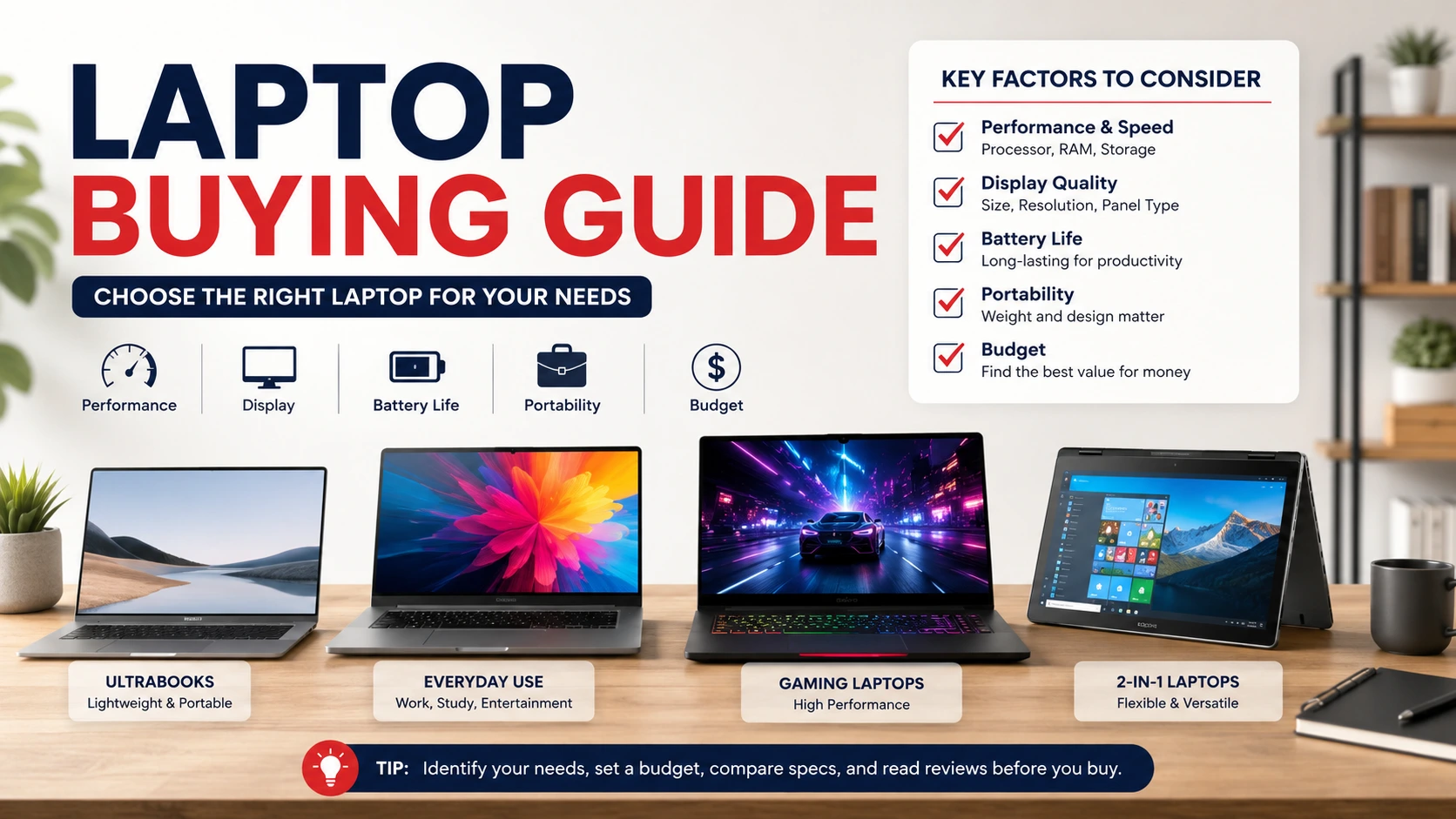
Laptop Buying Guide: Everything You Need to Know Before Buying a Laptop
Buying a new laptop sounds easy… until you actually start looking. Hundreds of models. Different processors. Confusing specifications. Prices that range from a few hundred dollars to several thousand. It can feel overwhelming.
That’s exactly why this Laptop Buying Guide exists.
Whether you’re buying your first laptop or replacing an old one, making the right choice can save you money and frustration. A laptop isn’t just another gadget—it’s something you’ll probably use every single day for work, study, entertainment, or staying connected with family.
This Laptop Buying Guide walks you through everything that truly matters without drowning you in technical jargon.
1. Decide Why You’re Buying a Laptop
The first step in any Laptop Buying Guide is understanding your needs.
Ask yourself:
- Will you mainly browse the internet?
- Do you need it for school or college?
- Are you working from home?
- Do you edit photos or videos?
- Are you planning to play modern games?
Your answers determine the kind of laptop you actually need.
Many people spend extra money on features they’ll never use. Others buy a budget laptop only to realize it struggles with their daily tasks. And that’s disappointing.
2. Choose the Right Operating System
A complete Laptop Buying Guide should always start with the operating system because it affects your entire experience.
The most common options include:
- Windows
- macOS
- ChromeOS
Windows laptops are versatile and available in almost every price range.
MacBooks offer excellent performance, long battery life, and a smooth ecosystem for Apple users.
Chromebooks are affordable and work well for students or people who mostly use web-based apps.
Each has strengths. There isn’t one perfect answer for everyone.
3. Pick the Right Processor
The processor acts as the brain of your laptop.
In this Laptop Buying Guide, remember these general recommendations:
- Intel Core i3 or AMD Ryzen 3 for everyday use
- Intel Core i5 or AMD Ryzen 5 for most users
- Intel Core i7, Core Ultra, Ryzen 7, or higher for professionals
- Apple M-series chips for Mac users
A faster processor makes multitasking smoother and keeps your laptop feeling responsive for years.
4. Don’t Ignore RAM
RAM affects how many applications you can run at once.
A practical Laptop Buying Guide recommends:
- 8GB RAM for everyday users
- 16GB RAM for students, professionals, and gamers
- 32GB or more for video editing, programming, and advanced creative work
Buying enough RAM today helps your laptop stay useful much longer.
5. Storage Matters More Than You Think
Gone are the days of slow hard drives.
Modern laptops use SSD storage, and honestly… once you’ve used one, it’s difficult to go back.
Most buyers should consider:
- 256GB SSD for light users
- 512GB SSD for most people
- 1TB SSD for creators and gamers
A reliable Laptop Buying Guide always recommends SSD storage because it dramatically improves startup times and application loading speeds.
6. Find the Best Screen Size
Screen size changes both portability and comfort.
Popular options include:
- 13-inch for travel
- 14-inch for everyday use
- 15.6-inch for productivity
- 16-inch or 17-inch for gaming and creative work
But don’t only focus on size.
Choose Full HD resolution at minimum. Better displays reduce eye strain and improve the viewing experience.
7. Battery Life Is More Important Than Advertised Numbers
Manufacturers often advertise ideal battery life under perfect conditions.
Reality is usually different.
A trustworthy Laptop Buying Guide recommends reading real-world reviews instead of relying only on official claims.
If you travel frequently or work remotely, aim for laptops offering at least 8 to 10 hours of practical battery life.
You’ll appreciate it later.
8. Consider Graphics Performance
Not everyone needs a dedicated graphics card.
Integrated graphics work perfectly for:
- Office work
- Streaming
- Web browsing
- Video calls
- Student tasks
However, gamers, designers, architects, and video editors should consider laptops with dedicated NVIDIA or AMD graphics.
This Laptop Buying Guide suggests matching graphics power to your actual workload instead of paying extra unnecessarily.
9. Check Build Quality and Keyboard Comfort
Specifications aren’t everything.
You’ll touch the keyboard every day.
You’ll carry the laptop.
You’ll open and close it thousands of times.
So pay attention to:
- Keyboard comfort
- Touchpad quality
- Screen hinge
- Build materials
- Weight
Sometimes a slightly more expensive laptop feels dramatically better to use.
And that’s worth something.
10. Compare Ports and Connectivity
Many buyers overlook ports until they need them.
A complete Laptop Buying Guide recommends checking for:
- USB-C
- USB-A
- HDMI
- Headphone jack
- SD card reader
- Wi-Fi 6 or Wi-Fi 7
- Bluetooth
Having the right ports means fewer adapters and fewer headaches.
11. Set a Realistic Budget
Budget plays a huge role.
Generally:
- Entry-level: basic browsing and office work
- Mid-range: excellent for most users
- Premium: creators, professionals, and gamers
This Laptop Buying Guide encourages buyers to focus on value rather than simply choosing the cheapest option.
A quality laptop often lasts several years.
12. Read Reviews Before Buying
Never purchase a laptop based solely on specifications.
Watch reviews.
Read customer experiences.
Look for long-term reliability.
A detailed Laptop Buying Guide always recommends checking thermal performance, battery tests, display quality, and customer support before making a decision.
Real users often reveal issues that specification sheets never mention.
Common Mistakes to Avoid
Many buyers make the same mistakes.
Avoid these common problems:
- Buying based only on price
- Ignoring battery life
- Choosing insufficient RAM
- Purchasing outdated processors
- Forgetting about warranty coverage
- Ignoring upgrade options
- Overpaying for features you’ll never use
Following this Laptop Buying Guide can help you avoid these costly mistakes and choose a laptop you’ll actually enjoy using.
Conclusion
Choosing the perfect laptop doesn’t have to be stressful.
Take your time. Compare models. Think about how you’ll actually use your device instead of chasing the latest trends. A laptop that fits your lifestyle will always be a better investment than one with flashy specifications you don’t need.
This Laptop Buying Guide is designed to help you buy confidently, avoid common mistakes, and get the best value for your money. Whether you’re shopping for work, school, gaming, or everyday use, following this Laptop Buying Guide will make your decision much easier. And when you invest wisely today, you’ll enjoy better performance, reliability, and satisfaction for years to come.
Frequently Asked Questions (FAQ)
1. What is the most important thing to consider when buying a laptop?
Your intended use is the most important factor. It determines the processor, RAM, storage, graphics, and budget you’ll need.
2. Is 8GB RAM enough in 2026?
Yes, 8GB is sufficient for everyday browsing, office work, and streaming. However, 16GB offers better long-term performance.
3. Should I buy an SSD or HDD?
SSD is the better choice because it’s much faster, quieter, and more reliable than traditional hard drives.
4. Which screen size is best?
A 14-inch laptop offers an excellent balance between portability and productivity, while 15.6-inch models provide a larger workspace.
5. How long should a quality laptop last?
A well-built laptop typically lasts between five and seven years with proper care and regular software updates.